As a seasoned veteran in the realm of voice recording and a content creator for Ukrbl.com, I’ve witnessed firsthand the revolutionary impact technology has had on how we capture and utilize spoken information. Among the plethora of tools available, Otter Voice Recorder, commonly known as Otter.ai, stands out as a game-changer. It’s not just a transcription service; it’s an intelligent meeting assistant that redefines productivity for professionals, students, and anyone who needs to keep track of their conversations.
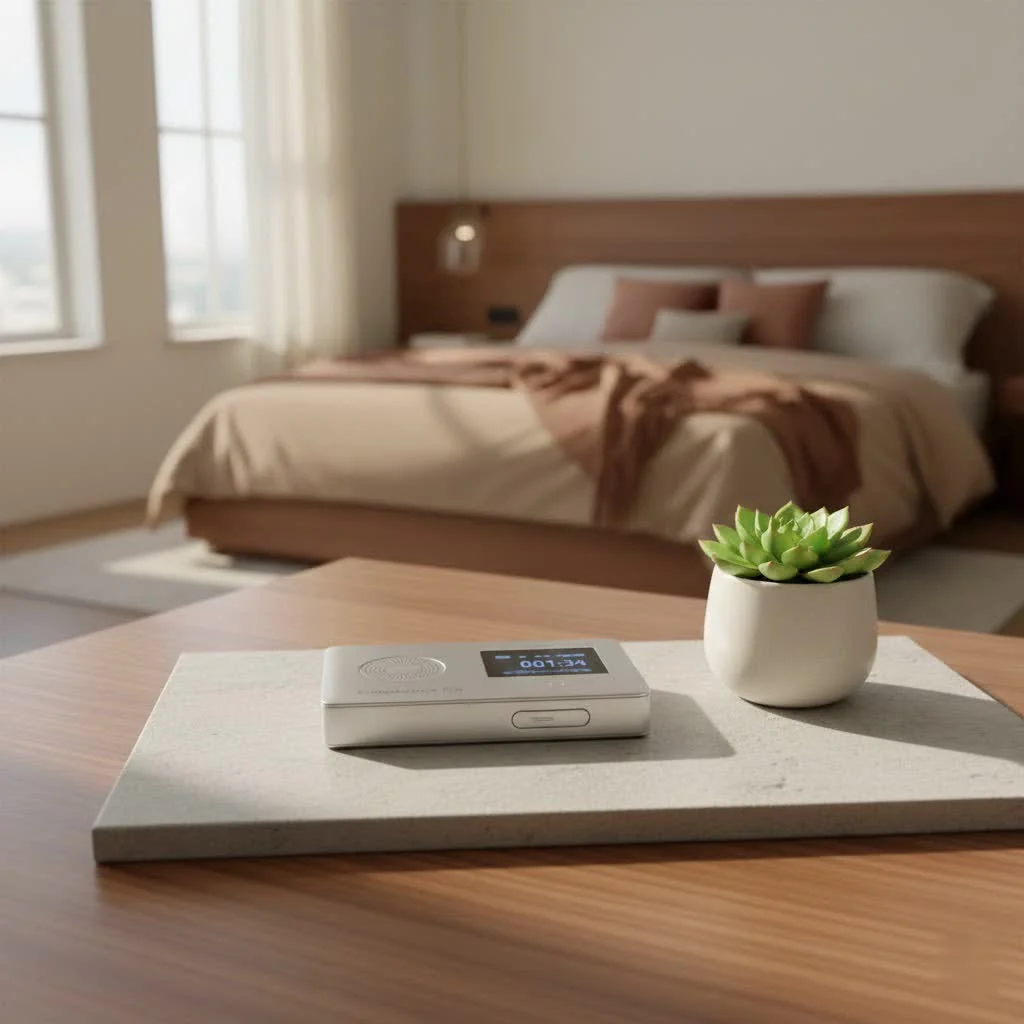
Otter.ai leverages artificial intelligence to transform your spoken words into searchable text, creating secure and organized notes from all your voice interactions. Imagine being fully present in a crucial meeting, an engaging lecture, or a vital interview, knowing every single word is being meticulously captured without you lifting a pen. That’s the power of Otter Voice Recorder. It records and transcribes in real-time, allowing participants to highlight key comments, add notes, and even assign action items as the conversation unfolds. This intuitive tool is designed to save you countless hours in post-meeting follow-ups and ensure no critical detail ever slips through the cracks.
Key Features That Set Otter Apart
Otter Voice Recorder isn’t just about converting speech to text; it’s a comprehensive suite of features engineered to enhance your entire communication workflow.
What is Real-Time Transcription, and How Does Otter Deliver It?
At its core, Otter.ai offers real-time transcription, a feature that converts spoken words into text instantaneously. As someone speaks, you see the text appear on your screen, almost like live captions. This is incredibly beneficial for various scenarios, from detailed project reviews to essential interviews. It transforms spoken communication into an accessible, scannable format, allowing you to follow along effortlessly or quickly review what was said moments ago. This capability is also a game-changer for accessibility, ensuring everyone can keep pace with the conversation, regardless of hearing ability or language fluency.
AI Meeting Notes and Summaries: Your Instant Recap
Beyond live transcription, Otter.ai acts as your personal AI meeting assistant. It automatically generates concise meeting summaries, identifying key points, decisions made, and actionable insights. No more sifting through lengthy transcripts; Otter.ai provides a streamlined overview, perfect for managers, team leads, or anyone needing a quick catch-up. You can even highlight important comments manually during a session, or let Otter.ai intelligently identify them based on content, creating what they call “Meeting Gems.”
Speaker Identification: Knowing Who Said What
One of the most practical features of Otter Voice Recorder is its ability to automatically identify and label different speakers throughout a conversation. This intelligent speaker identification helps you follow the flow of dialogue, track who committed to which task, and prevents confusion later on. While you might need to manually assign names to speakers initially, Otter.ai learns recurring voices over time, making it even more accurate for regular team meetings.
Seamless Integrations for a Connected Workflow
|
Our Picks for the Best Voice Recorder in 2026
As an Amazon Associate I earn from qualifying purchases.
|
||
| Num | Product | Action |
|---|---|---|
| 1 | Digital Voice Recorder with Playback Recording Device with Screen & AI Noise Cancellation MP3 Player, 1600H Recording, Auto-Save for Meetings, Lectures, Interviews (128, GB) |

|
| 2 | 128GB Digital Voice Recorder for Lectures Meetings - EVIDA 9296 Hours Voice Activated Recording Device Audio Recorder with Playback,Password |
|
| 3 | Digital Voice Recorder 16GB Voice Recorder with Playback for Lectures - USB Rechargeable Dictaphone Upgraded Small Tape Recorder Device |
|
| 4 | AI Digital Voice Recorder 128GB: AI Transcribe & Summarize Voice Activated Recorder with Playback - OTG - Portable Tape Recorder for Meeting & Lectures |
|
| 5 | 64GB Digital Voice Recorder with Playback: Voice Activated Recorders for Lectures Meetings Interviews - EVISTR Dictaphone Recording Device Tape Recorder Portable Mini, Audio Recorder with USB, MP3 |
|
| 6 | soundcore Work by Anker, Portable Al Voice Recorder, AI Note Taker, Al Transcription & Summarization, 6-Month Pro at No Charge, Cross-Meeting Summary, MFi Certified, Privacy Protection, Black |
|
| 7 | 132G (9800 Hour) Voice Activated Recorder - Elasound Voice Recorder with AI-Intelligent Triple Noise Reduction, Portable Audio Recorder for Work, Lectures, Meetings, 100H Continuous Recording Device |
|
| 8 | Sony ICD-UX570 Digital Voice Recorder, ICDUX570BLK, usb |
|
| 9 | Magnetic Voice Activated Recorder - (7000 Hours) Voice Recorder with DSP 5.0-AI Noise Cancellation - 64GB Portable Recording Device, Voice Recorder with Playback for Work, Meetings, Lectures |
|
| 10 | 128GB Voice Recorder - ZIPCIDE Digital Voice Activated Recorder with Intelligent Noise Reduction, Professional Dictaphone Tape Recording Device with Playback for Lectures Meeting/Classes/Interview |
|
Otter.ai is designed to integrate seamlessly into your existing digital workspace. It directly connects with popular video conferencing platforms like Zoom, Microsoft Teams, and Google Meet. Once configured, the OtterPilot bot can automatically join your scheduled meetings, record, and transcribe without requiring manual intervention. This level of integration ensures that your transcription and note-taking process is as effortless as possible, fitting smoothly into most modern workflows.
Accessibility and Usability: Intuitive Design Across Platforms
Whether you prefer working on your desktop or need to capture conversations on the go, Otter Voice Recorder has you covered. It offers well-designed web, iOS, and Android applications, providing a consistent and intuitive user experience. The mobile apps are particularly useful for recording in-person meetings, taking voice notes during conferences, or reviewing transcripts from anywhere with an internet connection. The clean interface with clear buttons for recording, highlighting, and sharing notes makes it incredibly easy to navigate, even for non-technical users.
Custom Vocabulary: Tailoring Accuracy to Your Needs
Otter.ai’s voice recognition is effective, but it shines even brighter when you help it learn. For professionals in fields with unique lexicons, such as medicine, law, or specialized technical industries, Otter.ai allows you to add custom vocabulary words. By adding technical terms, acronyms, or internal jargon via the Account Settings, you can significantly improve the transcription accuracy for your specific use cases. This personalization ensures that even the most niche terminology is captured correctly.
Unpacking Otter’s Performance: Accuracy and Practical Tips
As a specialist with over a decade and a half in the field, I can tell you that while AI transcription is incredibly powerful, it’s not a magic bullet for 100% accuracy every single time. Otter Voice Recorder’s transcription quality is generally very good, but it’s important to set realistic expectations.
When Otter Excels
Otter.ai performs best with clear audio, minimal background noise, and when speakers take turns talking. In these ideal conditions, you’ll find the transcripts remarkably precise, capturing the gist of the conversation and often much more. The combined audio and text feature is particularly useful here; clicking on any part of the transcript will play the corresponding audio, making verification and editing straightforward.
When Otter Struggles and How to Overcome It
Like many AI-powered services, Otter.ai can face challenges. It might struggle when people speak quickly, when multiple individuals speak over each other, or when dealing with strong accents or significant background noise. In such instances, you might find minor inaccuracies or a need for post-transcription editing.
To maximize accuracy:
- Practice Good Meeting Etiquette: Encourage participants to speak clearly and avoid talking over one another. Using features like “raise hand” in virtual meetings can significantly improve the audio clarity for transcription.
- Utilize Custom Vocabulary: As mentioned, feeding Otter.ai with specific terms related to your industry or project will drastically improve its understanding and transcription of those words.
- Review and Edit: Be prepared to dedicate a small amount of time to review and edit the transcripts, especially for critical discussions or if you need absolute verbatim accuracy. The web editor makes this process quite easy, allowing you to listen to the audio as you correct the text.
Otter Voice Recorder Pricing: Finding the Right Plan for You
Otter.ai offers a flexible pricing structure designed to cater to a wide range of users, from casual individuals to large enterprises. Understanding these plans is key to getting the most value from your Otter Voice Recorder experience.
- Basic (Free Plan): This is an excellent starting point for those who need occasional transcription services without a financial commitment. It provides 300 monthly transcription minutes, with a maximum conversation length of 30 minutes, and allows you to import up to three audio or video files (lifetime limit per user). It includes essential features like the AI Meeting Assistant, real-time transcription, and Otter AI Chat.
- Pro Plan: Ideal for individuals and small teams, the Pro plan significantly expands your capabilities. It typically offers 1200 monthly transcription minutes, with a longer maximum conversation length of 90 minutes, and allows for 10 monthly audio/video file imports. This plan unlocks advanced features like custom vocabulary and advanced search.
- Business Plan: Tailored for medium-sized teams and growing companies, the Business plan provides even more generous limits, such as 6000 monthly transcription minutes and a cap of 4 hours per conversation. It also includes valuable admin features like usage analytics, prioritized support, and the ability to import unlimited audio or video files. Teams can even join up to three concurrent virtual meetings.
- Enterprise Plan: For large organizations requiring extensive security, control, and customized support, the Enterprise plan offers bespoke solutions. This plan includes unlimited custom AI workflows, Otter Sales Notetaker, custom integrations (CRM, dialers), and single sign-on (SSO), alongside everything offered in the Business plan.
Otter.ai also offers student and teacher discounts on the Pro plan, making it an even more accessible tool for academic purposes. It’s a worthwhile investment for enhanced productivity and seamless meeting management.
Is Your Data Safe with Otter?
In today’s digital age, data security and privacy are paramount concerns, especially when dealing with sensitive conversations. Otter.ai recognizes this and employs robust safety features. They have a detailed privacy policy that outlines how data is used, and they support two-factor authentication (2FA) across all tiers for enhanced account security. Users also have the ability to delete their data at any time, giving you control over your information. It’s always advisable to review their privacy policy to understand their data handling practices fully.
Beyond Meetings: Diverse Use Cases for Otter.ai
While Otter Voice Recorder is renowned for its meeting transcription capabilities, its utility extends far beyond the boardroom or virtual conference room. As a voice recording expert, I’ve seen it leveraged across various domains:
- Interviews: Journalists, researchers, and HR professionals can record interviews and instantly get a searchable transcript, allowing them to focus on the conversation rather than frantic note-taking.
- Focus Groups: Capturing every nuance of group discussions for market research or sociological studies becomes effortless.
- Podcasts: Transcribing podcast episodes for show notes, accessibility, or content repurposing is a breeze.
- Personal Voice Notes: Quickly dictate thoughts, ideas, or to-do lists, and have them organized as searchable text.
- Lectures and Classes: Students can record lectures and refer back to comprehensive, searchable notes, aiding in revision and comprehension.
- Brainstorming Sessions: Documenting spontaneous ideas in a collaborative session ensures no creative thought is lost.
Expert Insights: Maximizing Your Otter Experience
“In my 15 years in the voice recording industry, Otter.ai has proven itself to be an indispensable tool for unlocking the full potential of spoken information,” says Dr. Anya Petrova, a leading expert in audio forensics and communication technology. “The real magic isn’t just in the transcription; it’s in how it frees you to engage more deeply, knowing that every detail is being captured, organized, and made instantly searchable. My advice? Don’t just use it to transcribe; use it to truly listen and interact without the mental burden of note-taking.”
Conclusion
Otter Voice Recorder has firmly established itself as a leading AI-powered transcription and meeting assistant, revolutionizing how we interact with and manage spoken information. From its accurate real-time transcription and intelligent summaries to its seamless integrations and user-friendly design, Otter.ai empowers individuals and teams to be more productive and collaborative. While it’s essential to understand its capabilities and limitations regarding transcription accuracy, the benefits of having a searchable, organized record of your conversations are undeniable.
Whether you’re looking to streamline your meeting workflow, enhance your learning experience, or simply keep better track of your important discussions, Otter Voice Recorder offers a robust solution. Explore its features, find the pricing plan that fits your needs, and take the leap towards a more efficient and focused way of working. Embrace the future of voice recording; your productivity will thank you!
Frequently Asked Questions (FAQ)
Q1: What is Otter Voice Recorder (Otter.ai)?
A1: Otter.ai is an artificial intelligence-powered tool that records and transcribes voice conversations in real-time, providing searchable notes, summaries, and action items for meetings, lectures, interviews, and more.
Q2: Is Otter.ai truly free to use?
A2: Yes, Otter.ai offers a “Basic” free plan with limitations, including 300 monthly transcription minutes and a maximum of 30 minutes per conversation. Paid plans offer expanded features and higher usage limits.
Q3: How accurate are Otter.ai’s transcriptions?
A3: Otter.ai provides generally good transcription quality, especially with clear audio and distinct speakers. However, accuracy can vary with background noise, overlapping speech, or fast talking, often requiring minor edits for perfection.
Q4: Can Otter.ai record phone calls?
A4: Otter.ai is primarily designed for transcribing meetings from video conferencing platforms or live in-person conversations using its mobile app or web interface. Direct phone call recording functionality might depend on your device’s capabilities or third-party integrations, so it’s best to check Otter.ai’s specific integration support.
Q5: What are Otter.ai’s main advantages for professionals?
A5: Professionals benefit from Otter.ai by gaining searchable meeting notes, AI-generated summaries, speaker identification, and seamless integration with popular meeting platforms, which enhances focus during discussions and streamlines post-meeting workflows.
Q6: Does Otter.ai support multiple languages?
A6: As of recent updates, Otter.ai supports transcription in English (both American and UK dialects), French, and Spanish, making it versatile for a broader range of users.
Q7: Is my data secure with Otter.ai?
A7: Otter.ai implements robust security measures, including a detailed privacy policy and support for two-factor authentication (2FA). Users also have control over their data and can delete it at any time.
Get our weekly buyer guide
Practical specs, not advice. Unsubscribe anytime.