In today’s fast-paced world, capturing thoughts, critical information from meetings, or insights from lectures is more important than ever. While our brains are incredible, they can’t always recall every detail with perfect accuracy. This is where a trusty voice note recorder steps in, transforming how we collect, process, and revisit spoken information. As a seasoned expert with over 15 years in audio recording and a content creator for Ukrbl.com, I’ve seen these devices evolve from simple dictaphones to sophisticated, AI-powered tools that redefine productivity.
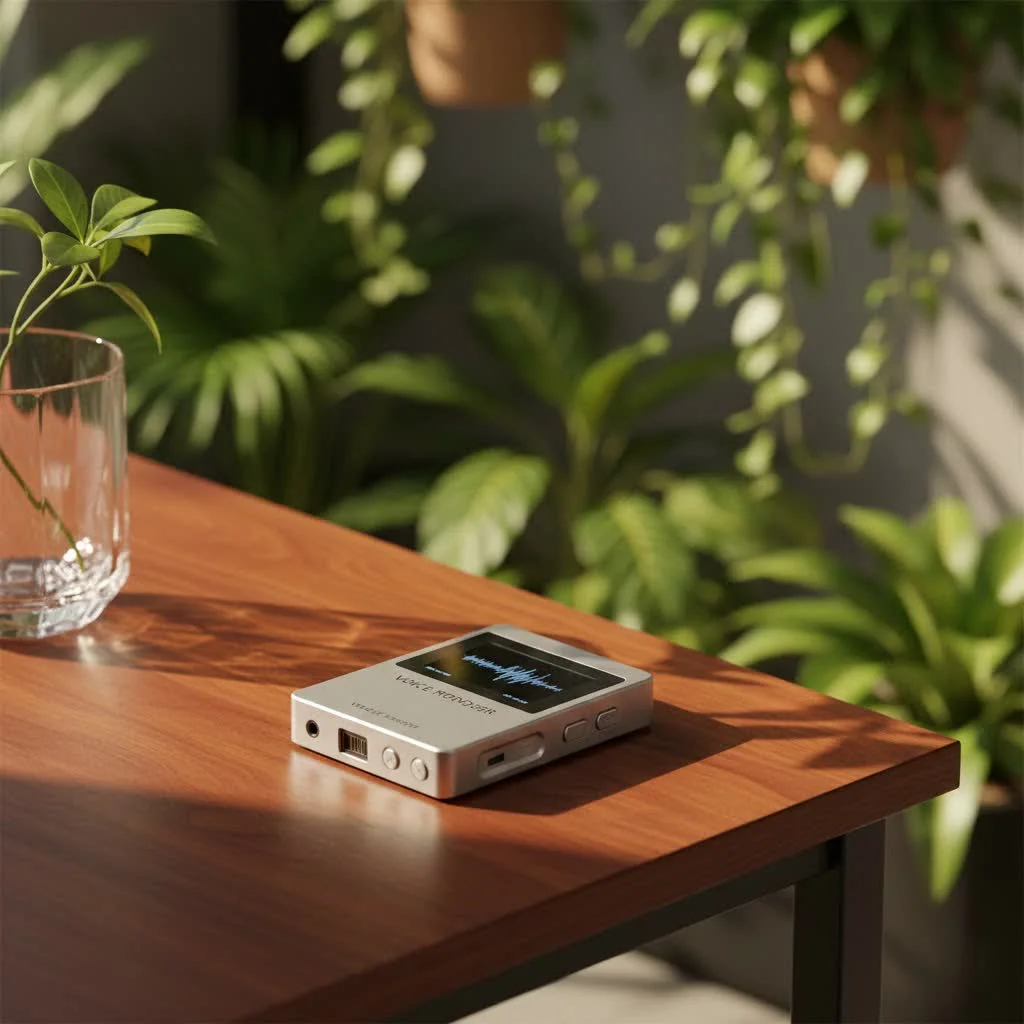
A voice note recorder isn’t just a gadget; it’s an indispensable assistant for anyone needing to capture spoken word with precision and ease. Whether you’re a student trying to ace your exams, a professional navigating complex discussions, or a creative mind brainstorming on the go, the right voice note recorder can be a game-changer. It ensures no crucial detail slips through the cracks, allowing you to focus on the conversation at hand rather than frantically scribbling notes. The evolution of this technology has introduced features that not only record but also intelligently assist in organizing and summarizing your audio. For browse all voice recorder articles on this site.
What is a Voice Note Recorder and Why Do You Need One?
At its core, a voice note recorder is a device designed to capture audio. However, modern voice note recorders go far beyond simple recording. They are engineered to provide clear, intelligible sound, often in challenging environments. The primary purpose is to free you from the burden of manual note-taking, enabling you to be fully present and engaged in the moment.
Think about it: in a critical meeting, are you truly listening and contributing, or are you distracted by trying to jot down every point? For students, is your attention on understanding the professor’s explanation, or are you struggling to write fast enough? A voice note recorder allows you to immerse yourself in the experience, confident that every word is being preserved for later review. From academic settings and corporate boardrooms to field interviews and personal journaling, the applications of a high-quality voice note recorder are vast.
Key Features to Look for in a Modern Voice Note Recorder
Choosing the perfect voice note recorder can feel daunting with the myriad of options available. However, focusing on a few critical features will help you narrow down your choices and find a device that truly meets your needs.
Crystal-Clear Audio Quality
The foundation of any good voice note recorder is its ability to capture clear, crisp audio. Look for devices with high-quality built-in microphones, ideally those offering both directional and omnidirectional recording patterns. Directional mics are excellent for capturing a speaker in front of the device, while omnidirectional mics are perfect for recording multiple speakers around a table. Support for uncompressed formats like LPCM (Linear Pulse Code Modulation) ensures studio-quality sound, crucial for accurate transcription later on. Even for casual notes, clarity makes a huge difference in playback and comprehension.
Advanced Noise Cancellation
|
Our Picks for the Best Voice Recorder in 2026
As an Amazon Associate I earn from qualifying purchases.
|
||
| Num | Product | Action |
|---|---|---|
| 1 | Magnetic Voice Activated Recorder - (7000 Hours) Voice Recorder with DSP 5.0-AI Noise Cancellation - 64GB Portable Recording Device, Voice Recorder with Playback for Work, Meetings, Lectures |

|
| 2 | Sony ICD-UX570 Digital Voice Recorder, ICDUX570BLK, usb |
|
| 3 | 64GB Digital Voice Recorder with Playback: Voice Activated Recorders for Lectures Meetings Interviews - EVISTR Dictaphone Recording Device Tape Recorder Portable Mini, Audio Recorder with USB, MP3 |
|
| 4 | Digital Voice Recorder 16GB Voice Recorder with Playback for Lectures - USB Rechargeable Dictaphone Upgraded Small Tape Recorder Device |
|
| 5 | 132G (9800 Hour) Voice Activated Recorder - Elasound Voice Recorder with AI-Intelligent Triple Noise Reduction, Portable Audio Recorder for Work, Lectures, Meetings, 100H Continuous Recording Device |
|
| 6 | AI Digital Voice Recorder 128GB: AI Transcribe & Summarize Voice Activated Recorder with Playback - OTG - Portable Tape Recorder for Meeting & Lectures |
|
| 7 | soundcore Work by Anker, Portable Al Voice Recorder, AI Note Taker, Al Transcription & Summarization, 6-Month Pro at No Charge, Cross-Meeting Summary, MFi Certified, Privacy Protection, Black |
|
| 8 | Digital Voice Recorder with Playback Recording Device with Screen & AI Noise Cancellation MP3 Player, 1600H Recording, Auto-Save for Meetings, Lectures, Interviews (128, GB) |
|
| 9 | 128GB Voice Recorder - ZIPCIDE Digital Voice Activated Recorder with Intelligent Noise Reduction, Professional Dictaphone Tape Recording Device with Playback for Lectures Meeting/Classes/Interview |
|
| 10 | 128GB Digital Voice Recorder for Lectures Meetings - EVIDA 9296 Hours Voice Activated Recording Device Audio Recorder with Playback,Password |
|
Background noise is the arch-nemesis of clear audio. Whether it’s the hum of an air conditioner, the clatter of keyboards, or chatter in a café, unwanted sounds can significantly degrade your recording. Modern voice note recorders often feature sophisticated noise cancellation technology that intelligently filters out these distractions, allowing the speaker’s voice to stand out. This is particularly vital for recordings made in busy environments like lecture halls or crowded meeting rooms. Some advanced models use AI to differentiate between human speech and ambient noise, providing truly remarkable clarity.
AI-Powered Transcription and Summarization
This is where the latest generation of voice note recorders truly shines. Devices like the PLAUD Note and iFLYTEK Smart Recorder are integrating artificial intelligence to revolutionize how we interact with our recordings. Imagine recording a two-hour lecture and, within minutes, having a transcribed text document and a concise summary of key points. These AI-powered features can identify speakers, highlight important moments, and even translate speech to text in real-time or post-recording. This transforms raw audio into actionable information, saving countless hours of manual review.
Intuitive Interface and Ease of Use
No one wants to fumble with complex menus when a brilliant idea strikes or a critical discussion begins. A good voice note recorder should be simple to operate, ideally with one-touch recording functionality. Look for clear displays, well-placed buttons, and straightforward navigation. The learning curve should be minimal, allowing you to capture audio instantly without frustration. Remember, the easier it is to use, the more likely you are to actually use it.
Portability and Durability
A voice note recorder needs to be with you when inspiration strikes or information flows. This means it must be compact and lightweight enough to carry comfortably in a pocket or bag. Durability is also key; a device with a robust, smooth design will withstand the rigors of daily use much better than one with flimsy, protruding parts. Top brands like Sony, Olympus, and Zoom are known for their reliable and long-lasting designs. As Dr. Anya Petrova, Lead Audio Engineer at Ukrbl.com, often says, “The best recorder is the one that’s always ready when you need it, and that means it has to be built to last.”
Ample Storage and Battery Life
Long meetings, extensive lecture series, or marathon brainstorming sessions demand a voice note recorder that won’t quit on you. Ensure the device offers sufficient internal storage, typically 4GB or more, which can often be expanded via microSD cards. Equally important is a long-lasting battery. Integrated rechargeable batteries are often more convenient than relying on disposable ones, especially if you’re frequently recording away from power sources.
Connectivity and File Management
Once you’ve captured your audio, you’ll need to transfer and manage it. Look for devices that offer easy connectivity options, such as USB for transferring files to a computer. Many modern voice note recorders also integrate with cloud services, allowing for seamless backup and access from multiple devices. Good file management capabilities on the device itself, such as folders and search functions, can also be a significant time-saver.
Traditional Digital Voice Recorders vs. Smart AI Recorders: A Head-to-Head
The landscape of voice note recorders has diversified, presenting users with a choice between tried-and-true digital recorders and the newer, AI-enhanced smart devices. Understanding their differences is crucial for making the right selection.
Traditional Digital Voice Recorders (e.g., Sony ICD-UX570, Sony ICD-PX470, Zoom H1n) excel at their core function: recording high-quality audio. They are generally robust, reliable, and offer excellent raw sound capture, especially models supporting LPCM format. These devices are often simpler in design, focusing purely on audio fidelity and straightforward operation. Their strengths lie in their dependability and the ability to capture pristine sound without complex features. If your primary need is simply to record audio for later listening or manual transcription, these devices offer fantastic value and performance. They are less prone to software glitches and can often be more budget-friendly.
Smart AI Voice Recorders (e.g., PLAUD Note, iFLYTEK Smart Recorder) are the innovators of the market. They build upon the foundation of audio recording by integrating artificial intelligence for tasks like real-time transcription, intelligent summarization, and advanced noise reduction. These devices are designed to boost productivity by transforming audio into text and digestible insights almost instantly. They are ideal for users who need to quickly extract key information from long recordings, such as professionals summarizing meetings or students reviewing lectures. While typically more expensive, the time savings and organizational benefits offered by AI can be invaluable. Features like highlighting key moments during recording and integrating text notes directly into the audio context are significant advantages.
When to choose which: If raw, unadulterated audio capture is your top priority and you’re comfortable with manual review or third-party transcription services, a traditional digital voice recorder is an excellent, cost-effective choice. If, however, you value efficiency, automatic text conversion, and intelligent assistance in processing your recordings, an AI-powered smart recorder will likely justify its higher price tag through unparalleled productivity gains.
Maximizing Your Voice Note Recorder’s Potential: Expert Tips
Having the right voice note recorder is only half the battle; knowing how to use it effectively unlocks its true power. Here are some expert tips to get the most out of your device:
Optimal Placement for Recording
The placement of your voice note recorder can dramatically impact audio quality. For a single speaker, place the recorder as close as possible, ideally within 1-2 feet, away from any obstructions. For meetings or group discussions, a central placement on a table is usually best, ensuring all speakers are within the microphone’s range. Always keep it away from noisy devices like laptops, phones, or air vents that could introduce unwanted background noise. If your recorder has different microphone patterns, choose the one suitable for your environment (e.g., omnidirectional for groups, directional for interviews).
Understanding Recording Formats
Your voice note recorder will likely offer several recording formats, typically MP3 and WAV (or LPCM).
- MP3: Highly compressed, resulting in smaller file sizes, which means more recording time and easier sharing. Ideal for general notes, casual conversations, or situations where file size is a concern. The trade-off is a slight loss in audio quality.
- WAV/LPCM: Uncompressed or minimally compressed, offering the highest audio fidelity. This format is crucial for professional applications, detailed transcriptions, or whenever pristine sound quality is paramount. The downside is significantly larger file sizes, requiring more storage space.
Choose your format based on your priorities for each recording session.
Leveraging AI Features for Productivity
If you’ve invested in an AI-powered voice note recorder, make sure you’re using all its intelligent features. Learn how to:
- Highlight key moments: Many AI recorders allow you to press a button during recording to mark important sections, which the AI then uses to create more accurate summaries or quickly jump to during playback.
- Integrate text notes: Some devices let you type short text notes directly into the recording’s context, ensuring that these critical details are included in any AI-generated summaries.
- Utilize speaker identification: If your device supports it, speaker identification can make reviewing meeting transcripts much clearer.
These features are designed to create a “human-AI alignment,” ensuring the automated insights truly reflect your intent.
Organizing Your Recordings
A disorganized collection of audio files is almost as unhelpful as no recording at all. Develop a system for organizing your recordings:
- Consistent Naming Conventions: Rename files immediately after recording with descriptive names (e.g., “Meeting_ProjectX_20251222,” “Lecture_Marketing_Ch5_DrSmith”).
- Folder Structure: Create logical folders on your computer or cloud storage for different projects, subjects, or dates.
- Cloud Backup: Regularly back up your recordings to a cloud service (e.g., Google Drive, Dropbox) to prevent data loss and ensure accessibility from anywhere.
Ethical Considerations: Consent to Record
Always be mindful of privacy and ethical considerations. In many regions, it is legally required to obtain consent from all parties before recording a conversation. Even where not legally mandated, it is always professional and respectful to inform participants that you will be recording. A quick “Just letting you know, I’ll be recording this session for note-taking purposes” goes a long way.
Can Your Smartphone Replace a Dedicated Voice Note Recorder?
It’s a common question in the digital age: “Can my smartphone do the job?” While smartphones are incredibly versatile and come equipped with microphones and various recording apps (like Otter, Notta, Rev), they generally fall short when compared to a dedicated voice note recorder for several reasons.
Pros of Smartphones:
- Convenience: You already carry one.
- Existing Apps: Many powerful recording and transcription apps are available.
- Cloud Integration: Easy syncing to cloud services.
Cons of Smartphones:
- Microphone Quality: Smartphone microphones are primarily designed for near-field communication, not for capturing clear audio from a distance or in noisy environments. They often lack the advanced noise cancellation and specialized microphone arrays found in dedicated recorders.
- Battery Drain: Recording can quickly deplete your phone’s battery, leaving you without a communication device.
- Distractions: Notifications, calls, and other app alerts can interrupt recordings and distract you during crucial moments.
- Distance Limitations: Capturing clear audio from across a large lecture hall or conference table is often beyond a smartphone’s capability without external, often cumbersome, accessories.
- Storage: While phones have good storage, dedicated recorders often focus solely on audio, allowing for vast hours of recording without competing with photos and videos.
While a smartphone can suffice for very short, close-range personal voice memos, a dedicated voice note recorder is undeniably superior for critical lectures, important meetings, detailed interviews, or any scenario where audio quality and reliability are paramount. It’s a specialized tool built for a specific job, and it performs that job with far greater precision and fewer compromises.
Frequently Asked Questions
What is the best voice note recorder for students?
For students, the best voice note recorder balances portability, long battery life, clear audio, and ideally, AI-powered transcription features. Devices like the Sony ICD-UX570 offer excellent audio quality and ease of use, while AI recorders such as the PLAUD Note can provide instant summaries and transcripts, which are invaluable for studying and review.
How do AI voice recorders work?
AI voice recorders use advanced algorithms to process audio in real-time or post-recording. They typically employ speech-to-text engines for transcription, natural language processing (NLP) for summarization, and machine learning for noise cancellation and speaker identification. Some even use multiple microphones to focus on specific sound sources.
Can I record phone calls with a voice note recorder?
Some specialized voice note recorders offer features to record phone calls, often requiring a direct connection or specific apps. For instance, the PLAUD Note is designed to capture iPhone calls. Always ensure you are aware of and comply with local laws regarding call recording, which often require consent from all parties.
How do I transfer recordings to my computer?
Most digital voice note recorders connect to a computer via a USB cable, appearing as a removable drive. You can then simply drag and drop your audio files. Many modern devices also offer cloud synchronization or dedicated companion apps that facilitate wireless transfer and management.
What’s the difference between WAV and MP3 recording?
WAV (or LPCM) is an uncompressed audio format, providing the highest fidelity but resulting in large file sizes. MP3 is a compressed format, creating smaller files that are easier to store and share, but at the cost of some audio quality. Choose WAV for critical recordings where clarity is paramount, and MP3 for general notes or when storage and sharing are priorities.
Is it legal to record conversations?
The legality of recording conversations varies significantly by jurisdiction. Many places operate under “one-party consent” laws, meaning you only need the consent of one person in the conversation (which can be you) to record. Other places require “two-party (or all-party) consent,” meaning everyone involved must agree to be recorded. Always research and understand the laws in your specific location before recording any conversation to ensure compliance.
Conclusion
The voice note recorder has come a long way, evolving into an indispensable tool for anyone who values clarity, efficiency, and accurate information capture. From traditional digital workhorses to cutting-edge AI-powered devices, the options available today offer solutions for every need. By understanding the key features, choosing the right type of recorder for your workflow, and applying expert tips for optimal use, you can dramatically enhance your productivity and ensure you never miss a beat.
Embrace the power of the voice note recorder and free yourself from the distractions of manual note-taking. Dive into your next meeting, lecture, or creative session with confidence, knowing that every valuable insight is being captured. Then, share your experiences and how your voice note recorder has transformed your work—we at Ukrbl.com are always eager to hear how our community leverages these incredible tools!
Get our weekly buyer guide
Practical specs, not advice. Unsubscribe anytime.