A dedicated voice recorder for lectures is an indispensable tool for academic success, offering superior audio clarity, extended battery life, and specialized features like noise cancellation that smartphones often lack. These devices empower students to capture every detail of fast-paced lectures, reduce note-taking stress, and enhance comprehension and retention through flexible review options, ultimately leading to improved academic performance.
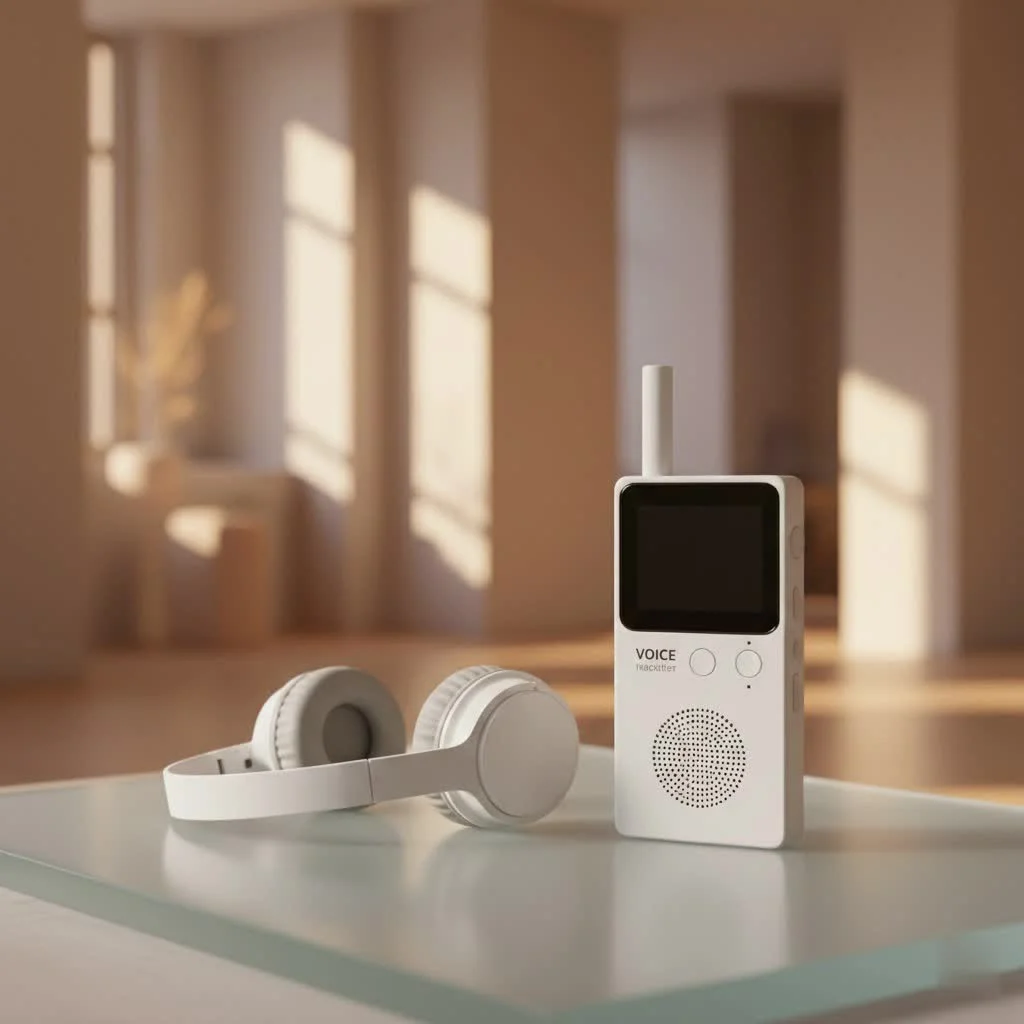
Forget the frantic scribbling or the fear of missing a crucial point. A dedicated voice recorder empowers you to actively engage with your professor, confident that every word is being meticulously captured for later review. This approach not only alleviates the pressure of real-time note-taking but also enhances comprehension and retention, ultimately paving the way for smarter study habits and superior academic performance.
Why a Dedicated Voice Recorder for Lectures is a major upgrade
You might be thinking, “Can’t I just use my phone?” While smartphones offer convenience, a dedicated voice recorder for lectures brings a level of clarity, reliability, and specialized features that mobile devices often can’t match. Imagine trying to capture a nuanced discussion in a bustling lecture hall with a phone that’s also buzzing with notifications and quickly draining its battery. It’s a recipe for distraction and subpar audio.
Dedicated devices are engineered from the ground up for superior audio capture. They boast specialized microphones and advanced processing capabilities designed to minimize background noise and focus on the speaker’s voice, even from a distance. This means you get crisp, intelligible recordings, making review and transcription significantly easier. Their extended battery life ensures that your recorder won’t give out halfway through a double lecture or a lengthy seminar.
How Does a Voice Recorder Enhance Your Study Habits?
Integrating a voice recorder into your academic routine offers multifaceted benefits that extend far beyond simply capturing sound.
- Boosted Comprehension and Retention: Repeated exposure to the material, especially in the instructor’s own voice, reinforces learning. You can revisit complex concepts until they click, ensuring a deeper understanding.
- Reduced Note-Taking Stress: By recording, you can shift your focus from frantically writing down every word to actively listening and grasping the core ideas. Your notes can then become supplementary, highlighting key themes rather than exhaustive transcription.
- Flexible Review Options: Listen to lectures during commutes, while exercising, or during study breaks. You can slow down or speed up playback, jump to specific sections, or even use the audio to create your own summary notes. This flexibility makes studying more efficient and adaptable to your personal learning style.
- Accessibility Support: For students with learning disabilities or those who benefit from auditory processing, voice recorders provide invaluable accessibility, ensuring equal access to lecture content.
- Preparation for Presentations and Group Work: Record yourself explaining concepts to solidify your understanding or capture group discussions to ensure all contributions are noted.
|
Our Picks for the Best Voice Recorder in 2026
As an Amazon Associate I earn from qualifying purchases.
|
||
| Num | Product | Action |
|---|---|---|
| 1 | 128GB Digital Voice Recorder for Lectures Meetings - EVIDA 9296 Hours Voice Activated Recording Device Audio Recorder with Playback,Password |

|
| 2 | Digital Voice Recorder with Playback Recording Device with Screen & AI Noise Cancellation MP3 Player, 1600H Recording, Auto-Save for Meetings, Lectures, Interviews (128, GB) |
|
| 3 | soundcore Work by Anker, Portable Al Voice Recorder, AI Note Taker, Al Transcription & Summarization, 6-Month Pro at No Charge, Cross-Meeting Summary, MFi Certified, Privacy Protection, Black |
|
| 4 | 128GB Voice Recorder - ZIPCIDE Digital Voice Activated Recorder with Intelligent Noise Reduction, Professional Dictaphone Tape Recording Device with Playback for Lectures Meeting/Classes/Interview |
|
| 5 | 64GB Digital Voice Recorder with Playback: Voice Activated Recorders for Lectures Meetings Interviews - EVISTR Dictaphone Recording Device Tape Recorder Portable Mini, Audio Recorder with USB, MP3 |
|
| 6 | AI Digital Voice Recorder 128GB: AI Transcribe & Summarize Voice Activated Recorder with Playback - OTG - Portable Tape Recorder for Meeting & Lectures |
|
| 7 | Sony ICD-UX570 Digital Voice Recorder, ICDUX570BLK, usb |
|
| 8 | Magnetic Voice Activated Recorder - (7000 Hours) Voice Recorder with DSP 5.0-AI Noise Cancellation - 64GB Portable Recording Device, Voice Recorder with Playback for Work, Meetings, Lectures |
|
| 9 | Digital Voice Recorder 16GB Voice Recorder with Playback for Lectures - USB Rechargeable Dictaphone Upgraded Small Tape Recorder Device |
|
| 10 | 132G (9800 Hour) Voice Activated Recorder - Elasound Voice Recorder with AI-Intelligent Triple Noise Reduction, Portable Audio Recorder for Work, Lectures, Meetings, 100H Continuous Recording Device |
|
Key Features to Look For in Your Ideal Lecture Recorder
Choosing the right voice recorder for lectures can seem daunting with so many options available. Based on years of hands-on experience and feedback from countless students, here are the crucial features to prioritize:
What are the Most Important Audio Features?
For crystal-clear lecture recordings, superior audio features are non-negotiable.
- Microphone Quality and Directionality: Look for devices with high-quality built-in microphones, ideally with omnidirectional capabilities to capture sound from all directions in a classroom, or directional (like stereo or zoom mics) that can focus on the lecturer from afar. Some advanced recorders feature multi-microphone arrays to ensure clarity even in noisy environments.
- Noise Cancellation: This feature is a lifesaver for filtering out ambient distractions such as shuffling papers, keyboard clicks, or general classroom chatter, allowing the lecturer’s voice to stand out.
- Voice-Activated Recording (VAR): A voice-activated recorder starts recording automatically when sound is detected and pauses during silence. This conserves battery life and storage space, preventing long stretches of empty audio.
- Recording Formats: Common formats include MP3 and WAV (LPCM). MP3 files are compressed, taking up less space, making them ideal for long lectures. WAV files, while larger, offer uncompressed, higher-fidelity audio, which can be beneficial for transcription accuracy or if you need to edit the audio later.
What About Battery Life and Storage?
Long lectures demand robust power and ample space.
- Extended Battery Life: Aim for a recorder that offers at least 15-20 hours of continuous recording. Many quality devices provide even more, ensuring you can get through multiple classes without needing a recharge.
- Internal Storage and Expandability: Most dedicated voice recorders come with built-in storage (e.g., 4GB, 8GB, 16GB). However, look for models that also support microSD card expansion. This is crucial for archiving an entire semester’s worth of lectures without constantly transferring files.
Are There Any Smart Features for Modern Learning?
Modern voice recorders are integrating intelligent capabilities to streamline your workflow.
- AI-Powered Transcription and Summarization: The latest advancements allow some recorders, or their accompanying software, to automatically convert spoken content into searchable text and even generate structured summaries. This can drastically cut down on review time, enabling you to pinpoint key information instantly.
- Intuitive Controls and User Interface: A recorder that’s easy to operate with one-touch recording and clear navigation means you can focus on the lecture, not fiddling with settings. A large, clear display is also a huge plus.
- Cloud Synchronization and File Management: The ability to easily transfer files to your computer or cloud storage (Dropbox, Google Drive, Evernote) is essential for organization and backup. Look for devices or apps that offer seamless integration.
“A truly effective voice recorder doesn’t just capture sound; it transforms it into an organized, accessible knowledge base,” says Dr. Anya Petrova, a leading expert in educational technology. “The intelligent features emerging today are revolutionizing how students interact with their academic content, making learning more efficient and deeply engaging.”
Setting Up for Success: Tips for Optimal Lecture Recording
Even the best voice recorder for lectures won’t deliver optimal results without proper setup and technique.
- Seek Permission: Always, always check with your instructor and institution about their policies on recording lectures. Consent is crucial for respecting privacy and copyright.
- Position is Everything: Place your recorder as close to the lecturer as possible. The front row center is often ideal. If you’re in a large auditorium, look for spots near the PA system speakers. Avoid placing it directly on a vibrating surface that might introduce unwanted noise.
- Test Before You Record: Before a critical lecture, make a short test recording in the classroom environment. Play it back to check for clarity, volume levels, and any unexpected background noise. Adjust settings like microphone sensitivity if needed.
- Organize and Label: Develop a consistent file-naming convention immediately. For example:
YYYY-MM-DD_CourseCode_LectureTopic.mp3. This simple step will save you immense time when searching for specific recordings later. - Regularly Back Up: Don’t rely solely on your device’s internal memory. Regularly transfer your recordings to a computer, external hard drive, or cloud storage to prevent data loss.
Troubleshooting Common Recording Issues
What if your recordings aren’t coming out as expected?
- Muffled Audio: This often points to poor microphone placement or excessive background noise. Try moving closer to the speaker or utilizing your recorder’s noise cancellation features.
- Low Volume: Ensure your recorder’s input sensitivity is set appropriately for the environment. Some recorders have a “lecture” or “meeting” preset that optimizes for volume from a distance.
- File Corruption: This is rare with dedicated devices but can happen. Always ensure the device has sufficient battery before starting a long recording, and don’t remove storage media during recording or transfer.
Frequently Asked Questions About Voice Recorders for Lectures
Can I record lectures on my phone or tablet instead of a dedicated device?
Yes, you can, but dedicated devices generally offer superior audio quality, longer battery life, and more advanced features like robust noise cancellation tailored for lecture environments, which phones often lack.
What is the best file format for lecture recordings?
MP3 is excellent for long lectures due to its smaller file size, which conserves storage. WAV (LPCM) offers higher quality but consumes more space, making it suitable if absolute audio fidelity or extensive post-processing is a priority.
How much storage do I need for lecture recordings?
For a full semester, aiming for at least 8GB of internal storage, plus the ability to expand with a microSD card, is advisable. An hour of MP3 recording might take around 60-120MB, so a 32GB card can store hundreds of hours.
Is my recorded data safe and private?
Reputable voice recorders and accompanying software often employ end-to-end encryption for data transfers and processing. Always choose brands that prioritize privacy and securely manage your academic content.
What should I do if I’m unsure about recording permissions?
If you’re ever in doubt, it’s best to directly ask your professor or consult your academic institution’s student handbook or administrative office for clear guidance on recording policies.
How can I make my recordings more useful for studying?
Beyond just recording, actively engage with your audio. Use transcription services (manual or AI-powered), create summaries, make flashcards from key points, and listen to sections multiple times. Integrate recordings into your existing study routine to reinforce knowledge.
Conclusion
In the demanding world of academia, a high-quality voice recorder for lectures is an investment in your educational journey. It’s more than just a gadget; it’s a powerful ally that enhances your ability to capture, process, and retain vital information. By choosing the right device, understanding its capabilities, and integrating recordings effectively into your study routine, you unlock a new level of academic confidence and efficiency. So, take the leap, equip yourself with this essential tool, and improve your lecture experience from a race against time into a comprehensive, empowering learning adventure. You’ll be amazed at how much more you can achieve.
Frequently Asked Questions
Can I record lectures on my phone or tablet instead of a dedicated device?
While phones and tablets can record lectures, dedicated voice recorders offer superior audio quality, longer battery life (often 15-20 hours), and advanced features like robust noise cancellation specifically designed for lecture environments. These specialized devices provide clearer recordings than most mobile devices.
What is the best file format for lecture recordings?
MP3 is generally the best file format for long lecture recordings because its compressed nature results in smaller file sizes, conserving storage space. WAV (LPCM) offers higher fidelity uncompressed audio but consumes more storage, making it suitable for situations requiring absolute audio accuracy or extensive post-processing.
How much storage do I need for lecture recordings?
For a full semester of lecture recordings, it is advisable to aim for at least 8GB of internal storage, with the crucial ability to expand using a microSD card. An hour of MP3 recording typically uses 60-120MB, meaning a 32GB card can store hundreds of hours of audio.
Is my recorded data safe and private?
Reputable voice recorders and their accompanying software often employ end-to-end encryption for data transfers and processing, ensuring the safety and privacy of your academic content. Always select brands that prioritize data security and privacy management.
What should I do if I'm unsure about recording permissions?
If you are ever uncertain about recording policies, the best course of action is to directly ask your professor or consult your academic institution's student handbook or administrative office for clear guidance. Obtaining consent is crucial for respecting privacy and copyright.
How can I make my recordings more useful for studying?
To maximize the utility of your recordings, actively engage with the audio by using transcription services (manual or AI-powered), creating summaries, making flashcards from key points, and listening to specific sections multiple times. Integrating recordings into your existing study routine reinforces knowledge and improves retention.
Setting Up for Optimal Lecture Recording
Follow these steps to ensure you get the best possible audio quality and organization from your voice recorder during lectures.
Always check with your instructor and institution regarding their policies on recording lectures. Obtaining consent is crucial for respecting privacy and copyright regulations before you begin any recording.
Place your voice recorder as close to the lecturer as possible, ideally in the front row center. In large auditoriums, position it near the PA system speakers and avoid placing it on vibrating surfaces to prevent unwanted noise interference.
Before a critical lecture, conduct a short test recording in the classroom environment. Play it back to verify clarity, volume levels, and to identify any unexpected background noise, adjusting microphone sensitivity as needed.
Immediately develop a consistent file-naming convention, such as YYYY-MM-DD_CourseCode_LectureTopic.mp3. This simple organizational step will significantly reduce the time spent searching for specific recordings later.
Do not rely solely on your device's internal memory for long-term storage. Regularly transfer your recordings to a computer, an external hard drive, or cloud storage to prevent any potential data loss.
Get our weekly buyer guide
Practical specs, not advice. Unsubscribe anytime.
I picked up a voice recorder after reading about how much it helps with active engagement in class. It’s true, I’m not as stressed about writing everything down now. The extended battery life is also a major plus; I can get through a whole day of classes without worrying about it dying. My only minor gripe is that the menu system on my model is a little clunky to navigate at first.
Seriously, if you’re in college, get one of these. I was always worried about missing crucial points in fast-paced lectures, and my old method of frantic scribbling just wasn’t cutting it. Now I just focus on listening and understanding, knowing I can go back and review every detail later. My comprehension has definitely improved, and my grades are showing it!
I got a basic voice recorder hoping to reduce my note-taking stress, and it does help somewhat. The audio clarity is better than my phone, but I was expecting a bit more from the specialized features mentioned, like really advanced playback options. It’s good for capturing the lecture, but I still find myself doing a lot of manual scrubbing to find specific points. Maybe I needed a higher-end model.
I used to rely on my phone for recording lectures, but the audio quality was always hit or miss, especially with background noise. This post really highlighted the benefits of a dedicated device, and I ended up getting one with excellent noise cancellation. It’s made a huge difference in how clearly I can hear everything during review sessions. Definitely worth the investment for my studies!