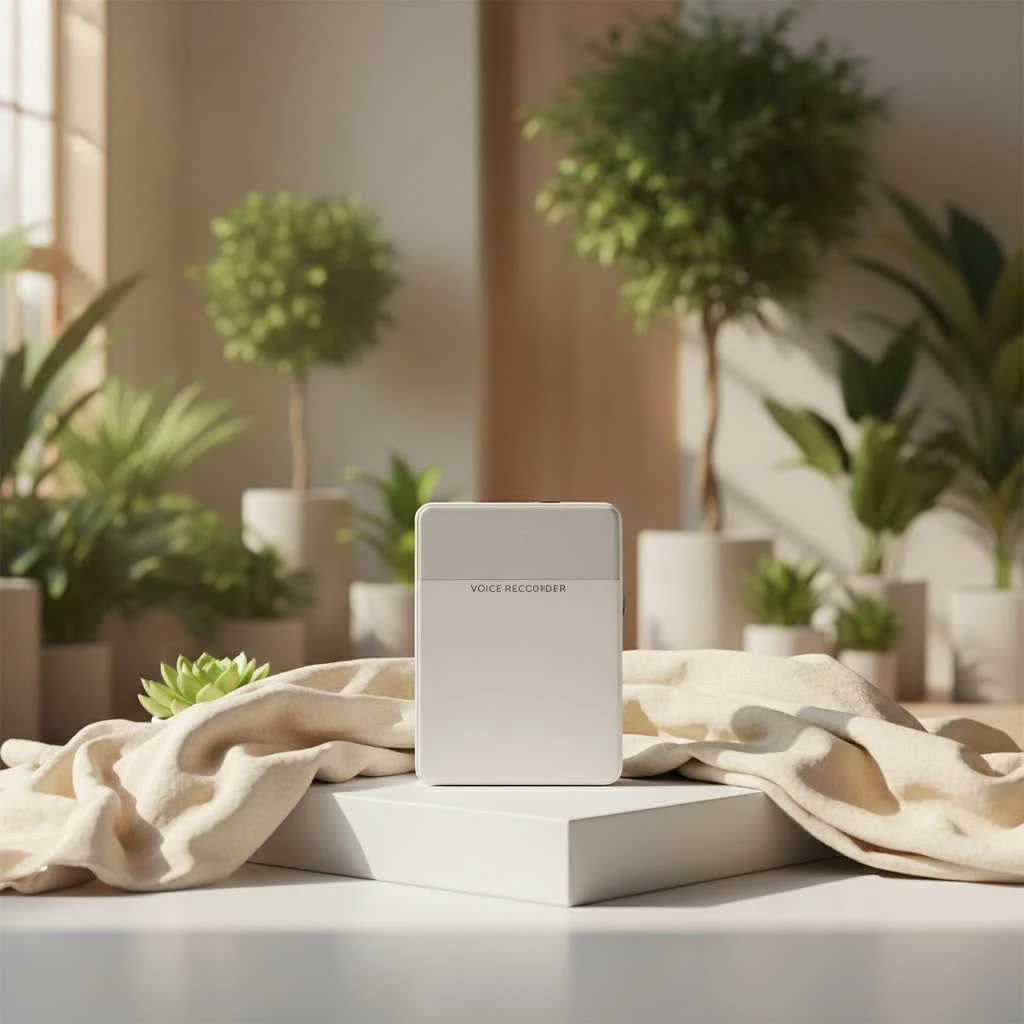
A voice recorder with robust playback features significantly enhances productivity and understanding by allowing users to revisit, analyze, and learn from captured audio with precision and ease. These devices offer specialized tools like variable playback speed, A-B repeat functionality, and noise reduction, which are crucial for tasks such as transcribing interviews, studying lectures, or practicing music, far surpassing the basic recording capabilities of smartphones.
What Makes Playback So Powerful on a Voice Recorder?
Many people assume “playback” is just hitting play, but with a dedicated voice recorder, it’s about having intelligent tools at your fingertips that transform raw audio into actionable insights.
Beyond Simple Listening: Why Dedicated Playback Features Matter
Simply listening to a long lecture or an extensive interview can be tedious and inefficient. Dedicated playback features are designed to optimize this process, making reviewing audio a strategic task rather than a chore. These features differentiate professional-grade recorders from basic recording functions found on a smartphone. For instance, the ability to control playback speed or loop specific sections is paramount for detailed analysis, far surpassing what simple play/pause buttons offer.
Applications: Lectures, Interviews, Music, Dictation, Personal Notes
A voice recorder with comprehensive playback features is a versatile ally across many domains:
- For Students: Imagine revisiting a complex lecture, slowing down the professor’s explanation on a difficult concept, or repeatedly listening to a key definition until it clicks. Playback becomes your personal, patient tutor.
- For Professionals: Transcribing an interview or reviewing meeting notes for crucial decisions demands precision. Features like A-B repeat allow you to loop a particular phrase or sentence, making transcription far more accurate and less time-consuming.
- For Musicians: Capturing a spontaneous melody or a new chord progression is one thing; being able to slow it down, loop a section, and dissect its components for practice or arrangement is where the real magic happens.
- For Dictation and Personal Use: From daily journaling to legal dictation, the ability to quickly review what you’ve said ensures clarity and completeness, helping you refine your thoughts without re-recording entire segments.
Essential Playback Features You Can’t Live Without
When choosing a voice recorder, don’t just look at its recording quality; scrutinize its playback features. These are the unsung heroes that determine your post-recording efficiency.
Variable Playback Speed: Slow Down or Speed Up for Transcription/Review
This feature is a major upgrade. Most modern voice recorders allow you to adjust the playback speed without altering the pitch of the speaker’s voice. Need to transcribe a fast talker? Slow it down to 0.75x or even 0.5x. Rushing through your own notes? Speed it up to 1.5x or 2x. This flexibility significantly cuts down on review time and reduces the frustration often associated with transcription work. Many users find this essential for deep dives into recorded content.
A-B Repeat Functionality: Looping Specific Sections
The A-B repeat function lets you designate a start point (A) and an end point (B) within your recording and then loop that segment indefinitely. This is invaluable for language learners repeating phrases, musicians practicing difficult passages, or transcribers needing to capture every syllable of a challenging word. It’s a precision tool that prevents endless manual rewinding.
Integrated Speakers vs. Headphone Jacks: When to Use What
- Integrated Speakers: Convenient for quick, informal listening or sharing audio with a small group. Many recorders, like the Sony ICDUX570, offer decent built-in speakers for basic review. However, sound quality can vary, and they may not be suitable for critical listening.
- Headphone Jacks: For detailed analysis, privacy, and superior sound quality, a good headphone jack is indispensable. Plugging in quality headphones allows you to catch nuances, reduce external distractions, and truly monitor audio levels and clarity. “Always monitor your recordings with headphones during playback for the most accurate assessment of audio quality and to catch any subtle issues,” advises Dr. Amelia Thorne, a respected audio engineering specialist.
Noise Reduction and Voice Enhancement: Improving Clarity
Some advanced voice recorders offer playback-specific noise reduction or voice enhancement features. These can digitally clean up recordings, making speech clearer and reducing background distractions during listening. While not a substitute for good recording practices, they can be a lifesaver for recordings made in less-than-ideal environments. The Olympus WS-882 is noted for its focus on clearer playback quality, often incorporating noise cancellation.
Intuitive Navigation and File Management: Skipping, Folders, Markers
Efficient playback isn’t just about playing sound; it’s about finding the right sound quickly. Look for recorders with:
- Easy File Navigation: Buttons for skipping forward/backward by fixed increments (e.g., 5, 10, or 15 seconds) are incredibly helpful.
- Folder Organization: The ability to save recordings into different folders keeps your audio library tidy and easy to search.
- Index Markers: Some advanced recorders allow you to drop digital markers during recording or playback, letting you jump directly to key moments.
How to Effectively Use Your Voice Recorder’s Playback
|
Our Picks for the Best Voice Recorder in 2026
As an Amazon Associate I earn from qualifying purchases.
|
||
| Num | Product | Action |
|---|---|---|
| 1 | 128GB Voice Recorder - ZIPCIDE Digital Voice Activated Recorder with Intelligent Noise Reduction, Professional Dictaphone Tape Recording Device with Playback for Lectures Meeting/Classes/Interview |

|
| 2 | 64GB Digital Voice Recorder with Playback: Voice Activated Recorders for Lectures Meetings Interviews - EVISTR Dictaphone Recording Device Tape Recorder Portable Mini, Audio Recorder with USB, MP3 |
|
| 3 | soundcore Work by Anker, Portable Al Voice Recorder, AI Note Taker, Al Transcription & Summarization, 6-Month Pro at No Charge, Cross-Meeting Summary, MFi Certified, Privacy Protection, Black |
|
| 4 | Digital Voice Recorder with Playback Recording Device with Screen & AI Noise Cancellation MP3 Player, 1600H Recording, Auto-Save for Meetings, Lectures, Interviews (128, GB) |
|
| 5 | Sony ICD-UX570 Digital Voice Recorder, ICDUX570BLK, usb |
|
| 6 | AI Digital Voice Recorder 128GB: AI Transcribe & Summarize Voice Activated Recorder with Playback - OTG - Portable Tape Recorder for Meeting & Lectures |
|
| 7 | 132G (9800 Hour) Voice Activated Recorder - Elasound Voice Recorder with AI-Intelligent Triple Noise Reduction, Portable Audio Recorder for Work, Lectures, Meetings, 100H Continuous Recording Device |
|
| 8 | Magnetic Voice Activated Recorder - (7000 Hours) Voice Recorder with DSP 5.0-AI Noise Cancellation - 64GB Portable Recording Device, Voice Recorder with Playback for Work, Meetings, Lectures |
|
| 9 | Digital Voice Recorder 16GB Voice Recorder with Playback for Lectures - USB Rechargeable Dictaphone Upgraded Small Tape Recorder Device |
|
| 10 | 128GB Digital Voice Recorder for Lectures Meetings - EVIDA 9296 Hours Voice Activated Recording Device Audio Recorder with Playback,Password |
|
Even the most feature-rich voice recorder is only as good as your understanding of how to wield it. Let’s break down the practical aspects.
Basic Operation: Play, Pause, Stop, Volume
Every voice recorder will have these fundamental controls. Typically, a dedicated “Play” button starts playback, and pressing it again might pause or stop, or there might be separate “Pause” and “Stop” buttons. Volume is usually controlled by “+” and “-” buttons or a dedicated dial. Get familiar with these basics first; they are the foundation of all other playback functions.
Advanced Playback Techniques: Utilizing Speed, A-B Repeat
- Mastering Variable Speed: Experiment with different speeds. For a first listen, try normal speed. For transcription, incrementally slow it down until you find a comfortable pace. For quick reviews of your own notes, speeding up can be a huge time-saver.
- Applying A-B Repeat: Identify the section you want to loop. Most devices will have a button to mark “A” and then another to mark “B.” Once set, the recorder will play only that segment. This is excellent for drilling down on complex information.
Connecting to External Devices: Headphones, Computers, (Sometimes Phones)
- Headphones: As mentioned, always use headphones for critical listening. This improves clarity and isolates the audio. Simply plug them into the designated jack.
- Computers: For archiving, editing, or transcribing on a larger screen, connecting your voice recorder to a computer via USB is standard. Most recorders appear as a removable drive, allowing you to easily drag and drop files. This is crucial for long-term storage and advanced post-production.
- Smartphones: While less common for direct playback, some recorders (especially those with AI features like the PLAUD Note) offer companion apps for file transfer, playback, and even transcription services on your phone. Others may connect via an OTG adapter for file management.
Choosing the Right Voice Recorder with Playback for Your Needs
With a many options available, selecting the ideal voice recorder can feel daunting. Focus on what truly matters for your specific use case.
Audio Quality and Microphone Sensitivity: The Foundation of Good Playback
You can’t play back what wasn’t recorded well. Excellent audio quality starts with capable microphones. Look for devices with stereo microphones for a richer soundstage and adjustable sensitivity to suit different environments (e.g., a quiet interview vs. a large lecture hall). Devices like the Zoom H5 are highly regarded for their top-notch audio capture, which directly translates to superior playback.
Battery Life and Storage: Practical Considerations for Long Sessions
Imagine missing the crucial last few minutes of an important meeting because your battery died or running out of space during an extended interview. Long battery life and ample internal storage (or expandable memory via SD cards) are non-negotiable for serious recording. Some recorders, like the Tonfarb 136 GB, boast massive recording capacities, ideal for long lectures or multiple events.
Ease of Use and Interface: User-Friendly Designs
A recorder packed with features is useless if it’s too complicated to operate. Look for an intuitive interface, clearly labeled buttons, and an easy-to-read display. Simple one-touch recording and playback functions are often highly valued. The Olympus WS-852, for example, is noted for its “Simple Mode” feature, making it accessible even for beginners.
Smart Features: AI Transcription, App Integration
The latest generation of voice recorders, such as the PLAUD Note AI Voice Recorder, integrates AI for real-time transcription and summarization, often accessible via a companion app. While these features come at a higher price point, they can be incredibly valuable for professionals who need to convert spoken words into text quickly.
Voice Recorders vs. Smartphone Apps: A Playback Perspective
It’s a common question: “Can’t my phone just do the same thing?” While smartphones have built-in recording capabilities, dedicated voice recorders often offer distinct advantages for playback.
When Dedicated Devices Shine: Superior Quality and Specialized Tools
- Superior Audio Quality: Dedicated recorders typically feature higher-quality microphones, better preamps, and advanced audio processing (like 32-bit float recording in some Zoom models), resulting in clearer, richer recordings that make for much better playback. They are less susceptible to interference and handling noise.
- Specialized Playback Features: As discussed, variable speed, A-B repeat, and robust noise reduction are often more refined and easier to access on a dedicated device.
- Battery Life: Voice recorders are designed for extended recording sessions, offering significantly longer battery life than a smartphone running its recording app.
- Physical Controls: Tactile buttons for play, pause, record, and volume often provide a more reliable and discreet user experience than touchscreen controls, especially in situations where you can’t look at the device.
The Convenience of Your Phone: Quick Notes and Basic Review
Smartphone apps are excellent for spontaneous, short-form recordings, quick personal notes, or informal brainstorming sessions. They are always with you and offer the convenience of instant sharing. Some, like Google’s Pixel Recorder, even offer real-time searchable transcripts. However, for critical professional use, where audio fidelity and advanced playback are paramount, a dedicated device is generally the superior choice.
Expert Tips for Maximizing Your Playback Experience
Drawing from years of experience, here are a few golden rules to ensure you get the most out of your voice recorder’s playback functions:
- Test Recordings are Your Best Friend: Before any critical session, always make a short test recording and play it back immediately. Check the volume levels, clarity, and ensure no unexpected background noise is present. This simple step can save you immense frustration later.
- Optimal Listening Environment: When conducting critical playback, find a quiet space. Minimize distractions. This allows you to focus solely on the audio and catch every detail, especially when working with sensitive or complex material.
- Backup and Organize Your Files: Make it a habit to regularly transfer your recordings to a computer or cloud storage and organize them into logical folders. There’s nothing worse than needing a specific recording and not being able to find it, or worse, losing it due to device failure. Good file management is key to efficient playback in the long run.
Frequently Asked Questions (FAQ)
Q: Can I adjust playback speed on all voice recorders?A: While many modern digital voice recorders offer variable playback speed, it’s not a universal feature across all models. Always check the product specifications or user manual to confirm this capability before purchase, especially if it’s a critical function for you.
Q: Is a built-in speaker enough for good playback?A: Built-in speakers are convenient for quick checks or sharing with a small group, but they typically don’t offer the fidelity or detail required for critical listening, transcription, or audio analysis. For the best experience, always use quality headphones via the headphone jack.
Q: How do I transfer recordings for playback on a computer?A: Most digital voice recorders connect to a computer via a USB cable, appearing as a removable storage device. You can then simply drag and drop your audio files to your computer for storage, playback using your preferred media player, or further editing.
Q: What is A-B repeat and why is it useful?A: A-B repeat is a playback function that allows you to mark a starting point (A) and an ending point (B) within a recording and then continuously loop that specific segment. It’s incredibly useful for studying, transcribing difficult sections, or practicing musical passages, as it eliminates the need for constant manual rewinding.
Q: Are voice recorders better than phone apps for playback?A: For professional-grade audio quality, extended battery life, and specialized playback features like advanced variable speed or dedicated noise reduction, a dedicated voice recorder generally outperforms smartphone apps. While phone apps offer convenience for quick notes, recorders with playback are designed for detailed, critical listening and analysis.
Conclusion
A voice recorder with robust playback features is more than just a recording tool; it’s a powerful asset for learning, analysis, and productivity. From precisely reviewing lecture content with variable speed to dissecting interview nuances using A-B repeat, the ability to control and enhance your listening experience fundamentally changes how you interact with captured audio. By understanding and utilizing these advanced playback functionalities, you empower yourself to extract maximum value from every recording. At Ukrbl.com, we believe that informed choices lead to exceptional results. So, examine the world of intelligent audio, choose a voice recorder that truly serves your needs, and unlock the full potential of your captured sound with unparalleled clarity and control. What will you revisit and discover today with your voice recorder with playback?
Frequently Asked Questions
Can I adjust playback speed on all voice recorders?
No, not all voice recorders offer variable playback speed. Many modern digital models do, but it's essential to check the product specifications or user manual before purchasing to confirm this feature, especially if it's a critical function for your needs.
Is a built-in speaker sufficient for detailed audio playback?
Built-in speakers are convenient for quick checks or sharing audio with a small group, but they generally lack the fidelity required for critical listening, transcription, or in-depth audio analysis. For the best sound quality and detail, always use quality headphones plugged into the headphone jack.
How do I transfer recordings from my voice recorder to a computer?
Most digital voice recorders connect to a computer using a USB cable. Once connected, the recorder typically appears as a removable storage device, allowing you to easily drag and drop your audio files to your computer for storage, playback with a media player, or further editing.
What is the A-B repeat function and how is it useful?
A-B repeat is a playback feature that allows you to mark a specific starting point (A) and an ending point (B) within a recording and then continuously loop that segment. This function is incredibly useful for tasks like studying, transcribing difficult sections of speech, or practicing musical passages, as it eliminates the need for constant manual rewinding.
Are dedicated voice recorders better than phone apps for audio playback?
For professional-grade audio quality, extended battery life, and specialized playback features such as advanced variable speed control or dedicated noise reduction, a dedicated voice recorder generally outperforms smartphone apps. While phone apps offer convenience for quick notes, dedicated recorders are designed for detailed, critical listening and analysis.
Effectively Use Your Voice Recorder's Playback
Learn how to maximize your voice recorder's playback features for better transcription, review, and analysis of your audio recordings.
Familiarize yourself with the fundamental controls: Play, Pause, Stop, and Volume. These are typically dedicated buttons or a dial. Understanding these basics forms the foundation for utilizing all other playback functions effectively.
Experiment with adjusting the playback speed without altering the pitch. Slow down recordings to 0.75x or 0.5x for accurate transcription of fast talkers, or speed up your own notes to 1.5x or 2x for quick reviews. This flexibility significantly reduces review time.
Identify a specific section you want to loop and use the A-B repeat function to mark its start (A) and end (B) points. This feature is excellent for drilling down on complex information, practicing language phrases, or dissecting musical passages without manual rewinding.
Always use quality headphones for critical listening to improve clarity and isolate audio. For archiving, editing, or transcribing on a larger screen, connect your voice recorder to a computer via USB to easily transfer files. Some advanced recorders also offer smartphone app integration for file management.
Get our weekly buyer guide
Practical specs, not advice. Unsubscribe anytime.
I used to just use my phone for recording lectures, but the variable playback speed on my new voice recorder is a game-changer. Being able to slow down complex parts without distorting the audio has made my study sessions so much more effective. It’s a huge upgrade for anyone serious about transcribing or reviewing educational content.
I’ve been using a dedicated voice recorder for my podcast interviews, and the intelligent playback tools are invaluable. It’s not just about hitting play; the ability to quickly jump between sections and mark important points has cut down my editing time significantly. Definitely surpasses any smartphone recording capabilities.
The noise reduction feature is decent, but I was hoping for a bit more clarity in really noisy environments. It definitely helps, but some background chatter still comes through when I’m trying to record interviews in busy cafes. For the price, I expected it to filter out a bit more.
I picked up the [amz id="voice-recorder"] model after reading about its A-B repeat functionality, and it’s been fantastic for practicing guitar riffs. I can loop tricky sections endlessly without having to constantly rewind. The sound quality is also surprisingly good for such a compact device, making it easy to hear subtle nuances.