The best voice recorder for meetings offers superior audio clarity, extended battery life, and ample storage, significantly outperforming smartphones for capturing crucial discussions. Dedicated devices feature advanced microphones and noise reduction technology to ensure every word is preserved accurately, making them indispensable tools for professionals. For example, models like the Sony ICD-UX570 are excellent for small meetings, while the Zoom H4N Pro excels in large conference settings due to its professional audio inputs.
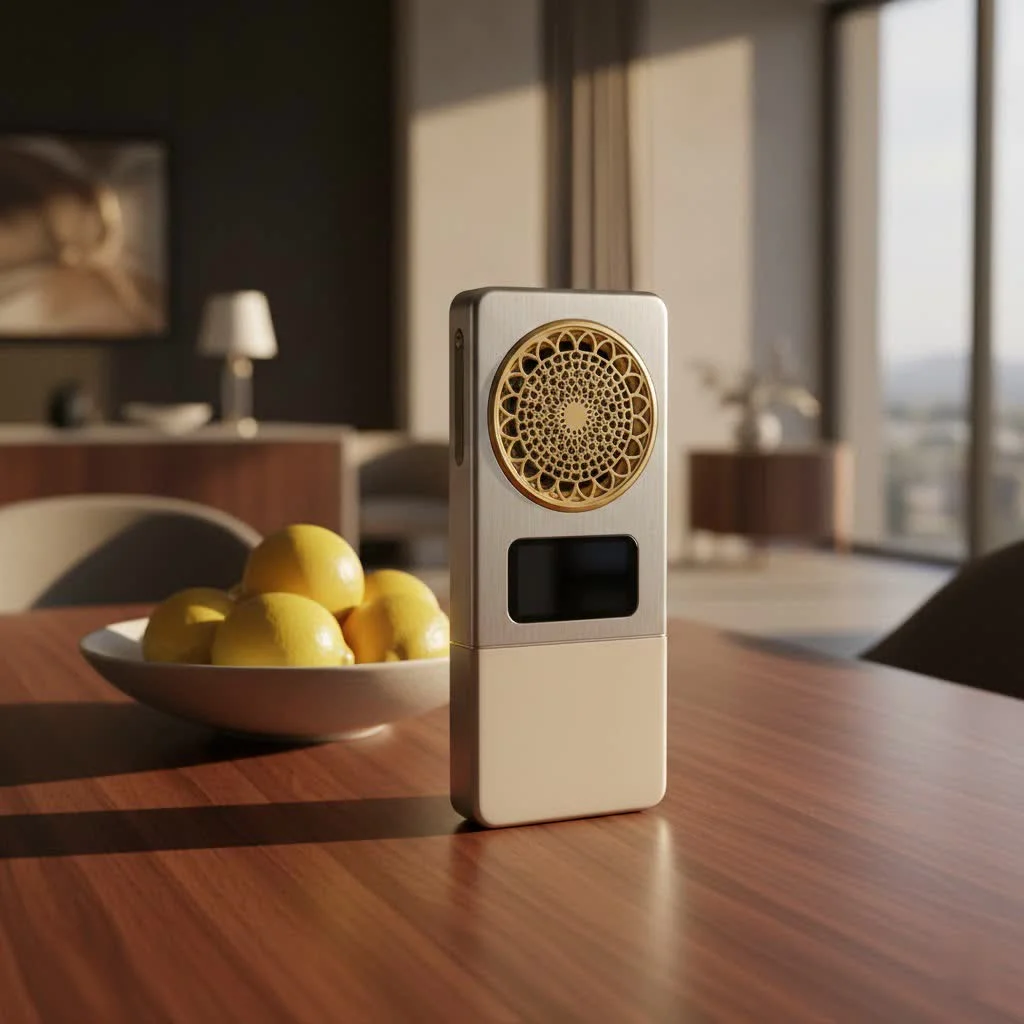
Why a Dedicated Voice Recorder Outperforms Your Smartphone for Meetings
Many professionals use smartphones for recording meetings. However, these devices often fall short when it comes to the specific demands of a business environment. A purpose-built voice recorder for meetings is engineered to provide superior performance where it truly counts. For shop curated voice recorder on this site.
Superior Audio Quality and Noise Reduction
Smartphones are generalists; their microphones are designed for calls and basic voice notes, not capturing intricate conversations in varying acoustic environments. Dedicated voice recorders, on the other hand, feature advanced microphone arrays, often with 360-degree pickup patterns and high-fidelity sensors, ensuring every participant’s voice is captured with crystal clarity. Crucially, they incorporate sophisticated noise reduction technology, sometimes even AI-powered, to filter out common meeting distractions like keyboard clicks, air conditioning hums, and ambient chatter, leaving you with pristine audio.
Extended Battery Life
There’s nothing more frustrating than a device dying mid-sentence during a critical discussion. Smartphones, with their myriad applications and background processes, consume battery rapidly. A voice recorder for meetings is optimized solely for audio capture, offering significantly longer battery life – often 10 to 20 hours or more on a single charge. This ensures your device lasts through marathon meetings, full-day conferences, or back-to-back discussions without interruption.
Ample and Expandable Storage
Meeting recordings, especially in high-quality formats, can consume considerable storage space. While smartphones have limited, non-expandable internal memory, many dedicated voice recorders come with generous built-in storage and almost always offer expandable memory via microSD card slots. This means you can record hundreds of hours of audio, providing virtually unlimited capacity for all your important meetings.
No Distractions
Your smartphone is a hub of notifications – calls, texts, emails, and app alerts constantly vie for your attention. Using it as a recorder means risking these interruptions, which can disrupt your focus and even be picked up on the recording. A dedicated voice recorder is a distraction-free zone, allowing you and your team to concentrate fully on the meeting’s agenda.
Enhanced File Management
Dedicated recorders often come with features like scene selection modes, voice activation, and the ability to add track marks during recording. When transferring files, most integrate seamlessly with computers via USB, and some even offer app control for easy organization, playback, and sharing, streamlining your post-meeting workflow.
Key Features to Look for in a Voice Recorder for Meetings
Choosing the right voice recorder can feel like a deep dive into technical specifications. As your seasoned guide from Ukrbl, I’ll help you navigate the essentials.
Crystal-Clear Audio Capture
|
Our Picks for the Best Voice Recorder in 2026
As an Amazon Associate I earn from qualifying purchases.
|
||
| Num | Product | Action |
|---|---|---|
| 1 | soundcore Work by Anker, Portable Al Voice Recorder, AI Note Taker, Al Transcription & Summarization, 6-Month Pro at No Charge, Cross-Meeting Summary, MFi Certified, Privacy Protection, Black |

|
| 2 | Digital Voice Recorder with Playback Recording Device with Screen & AI Noise Cancellation MP3 Player, 1600H Recording, Auto-Save for Meetings, Lectures, Interviews (128, GB) |
|
| 3 | Digital Voice Recorder 16GB Voice Recorder with Playback for Lectures - USB Rechargeable Dictaphone Upgraded Small Tape Recorder Device |
|
| 4 | Magnetic Voice Activated Recorder - (7000 Hours) Voice Recorder with DSP 5.0-AI Noise Cancellation - 64GB Portable Recording Device, Voice Recorder with Playback for Work, Meetings, Lectures |
|
| 5 | AI Digital Voice Recorder 128GB: AI Transcribe & Summarize Voice Activated Recorder with Playback - OTG - Portable Tape Recorder for Meeting & Lectures |
|
| 6 | 132G (9800 Hour) Voice Activated Recorder - Elasound Voice Recorder with AI-Intelligent Triple Noise Reduction, Portable Audio Recorder for Work, Lectures, Meetings, 100H Continuous Recording Device |
|
| 7 | 64GB Digital Voice Recorder with Playback: Voice Activated Recorders for Lectures Meetings Interviews - EVISTR Dictaphone Recording Device Tape Recorder Portable Mini, Audio Recorder with USB, MP3 |
|
| 8 | 128GB Digital Voice Recorder for Lectures Meetings - EVIDA 9296 Hours Voice Activated Recording Device Audio Recorder with Playback,Password |
|
| 9 | Sony ICD-UX570 Digital Voice Recorder, ICDUX570BLK, usb |
|
| 10 | 128GB Voice Recorder - ZIPCIDE Digital Voice Activated Recorder with Intelligent Noise Reduction, Professional Dictaphone Tape Recording Device with Playback for Lectures Meeting/Classes/Interview |
|
This is the non-negotiable cornerstone of any good meeting recorder.
- Microphone Quality: Look for devices with multiple, high-sensitivity microphones, often described as stereo or 360-degree. Some advanced models feature multi-mic arrays (e.g., three or six microphones) specifically designed to capture voices from all directions in a room.
- Noise Reduction Technology: Essential for filtering out background distractions. Modern recorders often boast AI-powered noise cancellation, which intelligently identifies and suppresses unwanted sounds while enhancing speech clarity.
- Recording Formats: Most recorders offer MP3 and WAV. MP3 is highly compressed, smaller in file size, and great for general use and easy sharing. WAV files are uncompressed, offering superior audio quality, ideal for professional transcription or when absolute fidelity is critical.
Long-Lasting Battery Life
For uninterrupted recording, aim for recorders with robust battery performance. Devices offering 10+ hours of continuous recording are a good starting point, with many professional models exceeding 20 hours. Consider whether you prefer rechargeable internal batteries or models that use readily available disposable batteries for situations where charging might be challenging.
Generous Storage Capacity
While 4GB to 16GB of internal storage is common, frequent recorders should prioritize devices that support microSD cards. This allows for vast storage expansion, ensuring you never run out of space, even during extensive recording sessions over several days.
Intuitive Design and Portability
A voice recorder should be easy to use, allowing you to focus on the meeting, not the device. Look for simple, clearly labeled controls, a straightforward display, and a compact, lightweight design that makes it easy to carry and set up discretely.
Transcription Capabilities
This feature is a major upgrade for meeting efficiency.
- AI-powered Transcription: Many modern recorders integrate with or offer companion apps that utilize AI to convert speech to text, often with impressive accuracy. Some even provide real-time transcription.
- Offline Transcription: A select few high-end models offer on-device, offline transcription in multiple languages, a crucial feature for confidential meetings where cloud tools are restricted.
- Speaker Labeling and Summarization: Advanced transcription services can identify different speakers and even generate concise meeting summaries, saving hours of manual review.
Connectivity for Seamless Workflow
Easy file transfer is key. Look for recorders with standard USB connectivity for quick transfer to your computer. Some models also offer Wi-Fi or Bluetooth for wireless sharing and app control, further integrating the device into your digital workflow.
Matching Your Recorder to Your Meeting Environment
The “best” voice recorder isn’t a one-size-fits-all solution; it depends heavily on the nature and environment of your meetings.
Small Meetings (Up to 6 participants)
For intimate discussions in small rooms, a compact, basic digital voice recorder with good stereo microphones is often sufficient. These devices are typically highly portable and offer excellent voice pickup within a confined space. Models like the Sony ICD-UX570 are popular choices for their ease of use and clear audio in such settings.
Medium-Sized Meetings (Up to 15 participants)
When your meeting expands to a larger boardroom or conference room with more participants, you’ll need a recorder with enhanced capabilities. Look for devices that support external or boundary microphones. These supplementary mics can be strategically placed around the table to ensure every voice is captured evenly. The Zoom H1n, when coupled with a few boundary microphones, becomes a highly effective solution for medium-sized groups.
Large Conferences and Boardrooms
For significant gatherings, extensive board meetings, or conferences with 15+ attendees, you’re entering the realm of professional audio. Recorders with XLR inputs, like the Zoom H4N Pro, are ideal here. These inputs allow you to connect directly to a room’s installed audio system or use multiple high-quality external microphones, ensuring comprehensive coverage and broadcast-quality sound. In a large boardroom, you might need anywhere from three to six boundary microphones, daisy-chained together for optimal pickup.
Considering Room Acoustics and Ambient Noise
The physical environment of your meeting greatly impacts recording quality. Large, open rooms with hard surfaces (floors, walls, ceilings) can cause sound reverberation, making voices muddled. Conversely, rooms with carpets, curtains, and soft furniture absorb sound, improving acoustics.
If you consistently record in a challenging environment, consider:
- Recorder Placement: Position the recorder centrally, away from noise sources like air conditioners or projectors.
- External Mics: For larger or echoey rooms, external boundary microphones placed strategically on the table can significantly improve sound capture by minimizing reverberation.
- Noise Filtering: Ensure your chosen recorder has robust noise reduction features to combat ambient distractions.
Advanced Tips from the Ukrbl Expert Desk
Having spent over 15 years immersed in voice recording, I’ve picked up a few tricks that can improve your meeting documentation from good to exceptional.
- Voice Activation (VOR): Many recorders offer Voice Operated Recording, which pauses recording during silences and restarts when sound is detected. This saves battery, storage space, and makes reviewing recordings more efficient by cutting out dead air.
- Scene Selection Modes: Utilize these pre-set modes (e.g., “Meeting,” “Lecture,” “Interview”). They optimize the recorder’s settings, like microphone sensitivity and noise filtering, for specific environments, giving you the best possible audio quality without manual adjustments.
- Security Features: For confidential meetings, consider recorders that offer password protection or encryption. This ensures that sensitive information remains secure and accessible only to authorized individuals.
- Integrating with Your Workflow: Think beyond just recording. How will you use the audio? Many professionals integrate their recordings with transcription services (manual or AI-powered) or cloud storage solutions for easy archiving and sharing.
As Dr. Anya Petrova, a leading expert in digital forensics and audio analysis, often emphasizes, “The true value of a meeting recorder isn’t just in capturing sound, but in the intelligent organization and swift retrieval of information it enables. It transforms raw audio into actionable insights.”
Frequently Asked Questions
Can I use my smartphone as a voice recorder for meetings?
While technically possible, dedicated voice recorders offer superior audio quality, noise reduction, battery life, and storage capacity, making them a more reliable and professional choice for capturing important meeting details without distractions.
What’s the difference between WAV and MP3 recording?
WAV files are uncompressed, offering the highest audio quality but resulting in larger file sizes. MP3 files are compressed, smaller, and easier to share, making them suitable for general use where absolute fidelity isn’t critical. For professional transcription, WAV is often preferred.
How important is noise cancellation?
Noise cancellation is extremely important for meeting recordings. It helps to filter out distracting background sounds like air conditioning, keyboard typing, or side conversations, ensuring that voices are clear and intelligible, which is crucial for accurate transcription and review.
Do I need a voice recorder with transcription?
If you frequently need written records of your meetings, a recorder with integrated AI transcription or compatibility with transcription software can save significant time and effort. It converts spoken words into text, making it easier to search, review, and summarize discussions.
How do I transfer recordings to my computer?
Most digital voice recorders connect to your computer via a standard USB cable, allowing for easy drag-and-drop file transfer. Some advanced models also offer Wi-Fi, Bluetooth, or companion apps for wireless transfer and management.
What’s a good budget for a meeting voice recorder?
The budget depends on your needs. Basic models for small meetings can start around $50-$100. Mid-range recorders with better audio and more features for medium meetings might be $100-$250. Professional-grade recorders for large conferences with advanced features and expandability can range from $250 to $500+.
Conclusion
In the demanding landscape of modern business, a reliable voice recorder for meetings is more than just a gadget – it’s an indispensable tool for enhancing productivity, ensuring accountability, and preserving invaluable information. By understanding the key features and aligning your choice with your specific meeting environments, you can select a device that delivers exceptional audio clarity, simplifies your workflow, and ultimately empowers you to master your meetings. Invest in a quality voice recorder, and experience the confidence that comes with capturing every essential word, transforming your meeting records from a chore into a strategic asset. Embrace the future of meeting documentation and improve your professional game with the right voice recorder by your side.
Frequently Asked Questions
Can I use my smartphone as a voice recorder for meetings?
While technically possible, dedicated voice recorders offer superior audio quality, noise reduction, battery life, and storage capacity. These features make them a more reliable and professional choice for capturing important meeting details without distractions, ensuring clearer recordings than a typical smartphone.
What is the difference between WAV and MP3 recording formats?
WAV files are uncompressed, offering the highest audio quality but resulting in larger file sizes. MP3 files are compressed, smaller, and easier to share, making them suitable for general use where absolute fidelity isn't critical. For professional transcription or archival purposes, WAV is often preferred due to its superior fidelity.
How important is noise cancellation in a meeting recorder?
Noise cancellation is extremely important for meeting recordings. It helps to filter out distracting background sounds like air conditioning, keyboard typing, or side conversations, ensuring that voices are clear and intelligible. This clarity is crucial for accurate transcription and review, significantly improving the usability of recordings.
Do I need a voice recorder with transcription capabilities?
If you frequently need written records of your meetings, a recorder with integrated AI transcription or compatibility with transcription software can save significant time and effort. It converts spoken words into text, making it easier to search, review, and summarize discussions, often with impressive accuracy.
What is a reasonable budget for a quality meeting voice recorder?
The budget for a meeting voice recorder depends on your specific needs. Basic models for small meetings can start around $50-$100. Mid-range recorders with better audio and more features for medium meetings might be $100-$250, while professional-grade recorders for large conferences with advanced features and expandability can range from $250 to $500+.
How do I transfer recordings from a dedicated device to my computer?
Most digital voice recorders connect to your computer via a standard USB cable, allowing for easy drag-and-drop file transfer. Some advanced models also offer Wi-Fi, Bluetooth, or companion apps for wireless transfer and management, streamlining the process of moving and organizing your audio files.
Get our weekly buyer guide
Practical specs, not advice. Unsubscribe anytime.
I used to rely on my phone for recording team meetings, but the audio was always so muddy. After reading about the dedicated devices, I picked up a Sony ICD-UX570, and the difference is night and day. The clarity is incredible, even with multiple people speaking. It’s truly indispensable for keeping track of action items.
I got the Zoom H4N Pro for our larger conference room, and while the audio quality is fantastic, especially with the external mic options, the battery life isn’t quite as extended as I’d hoped. For really long sessions, I have to keep an eye on it. Still, it beats trying to hear everything from a phone recording.
I was skeptical that a dedicated voice recorder could really outperform my smartphone, but I was wrong. The superior audio clarity mentioned is no joke. I’ve been using it for all my client calls and internal discussions, and it captures every detail without any of the background hum my phone used to pick up. Definitely worth the investment.
The point about advanced microphones and noise reduction really resonated with me. Our office can be pretty noisy, and my old recorder picked up everything. I upgraded to a model with better noise reduction, and now I can actually hear what’s being said in the recordings. It’s made transcribing so much easier.